Introduction
This guide provides step-by-step instructions for participating in the Bitcoin Munari (BTCM) token presale. Follow these steps carefully to ensure successful participation in the presale event.
Current Presale Information
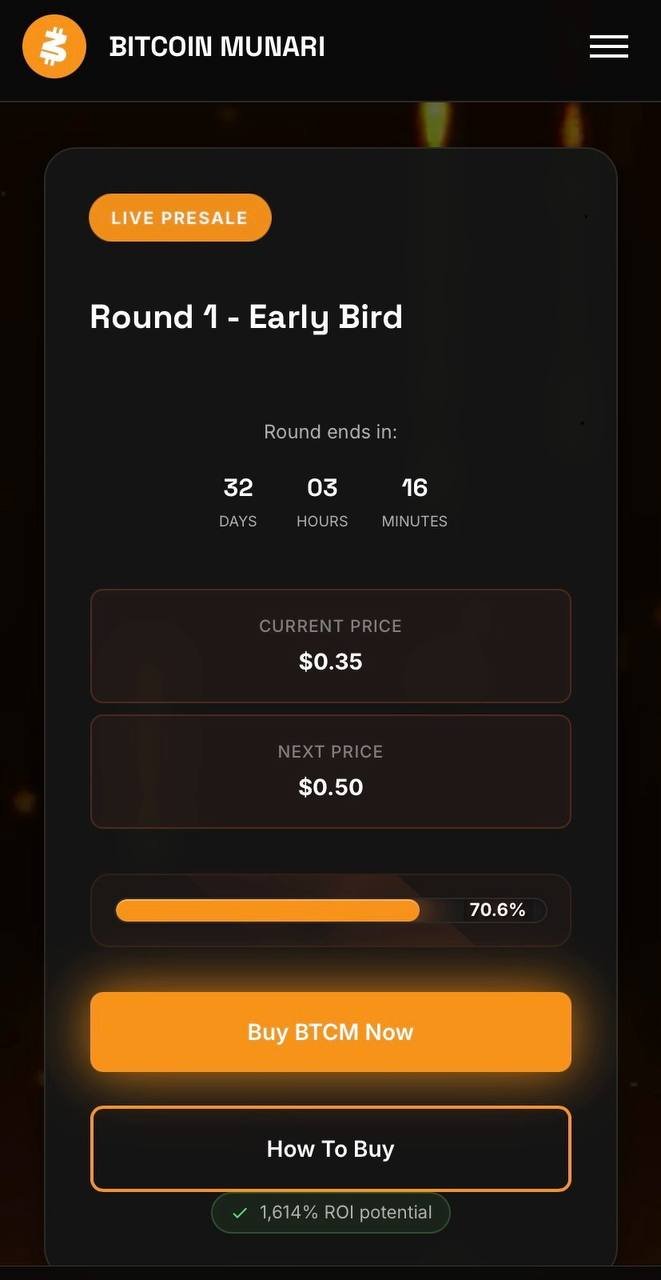
- Current Round: Round 1 - Early Bird
- Current Price: $0.10 per BTCM token
- Next Price: $0.22 per BTCM token
- Minimum Contribution: 500 BTCM (approximately $50 USD equivalent)
Getting Started
Step 1: Access the Bitcoin Munari Website
- Open your web browser
- Navigate to:https://bitcoinmunari.com/
- You will see the Bitcoin Munari homepage with the presale information
Step 2: Join the Presale
- Look for the "Buy BTCM Now" button on the homepage
- Click on "Join Presale" or "Buy BTCM Now"
- You will be redirected to the login page
Account Registration
Step 3: Create Your Account
If you don't have an account yet:
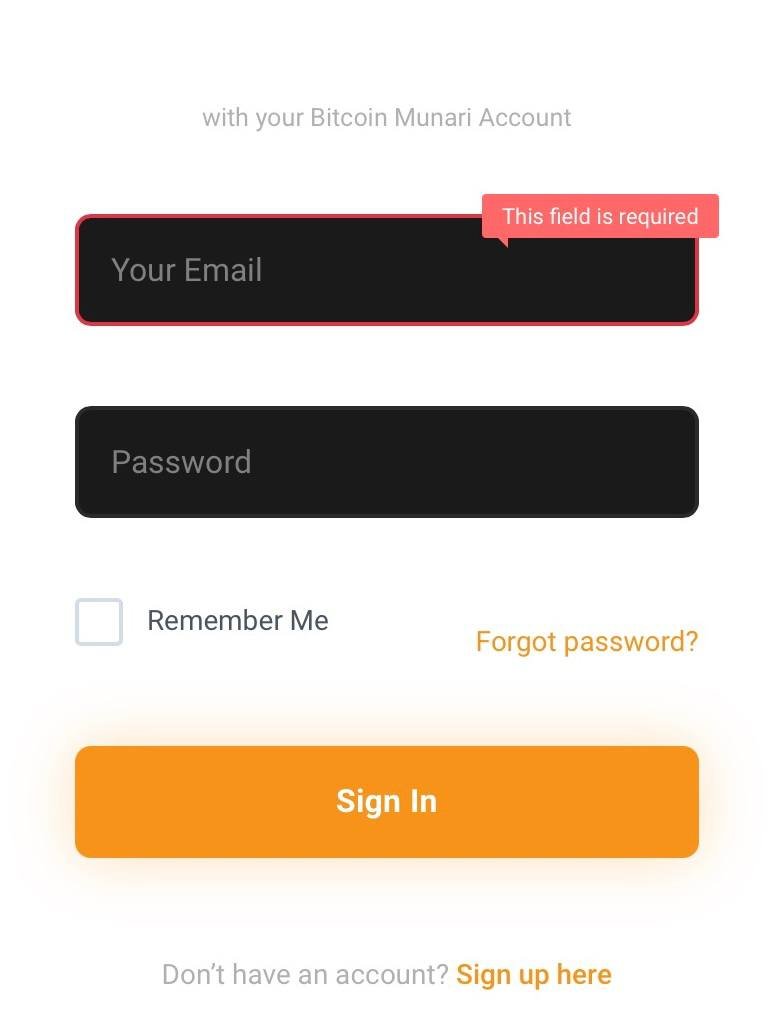
- On the login page, click on "Sign up here" (located below the Sign In button)
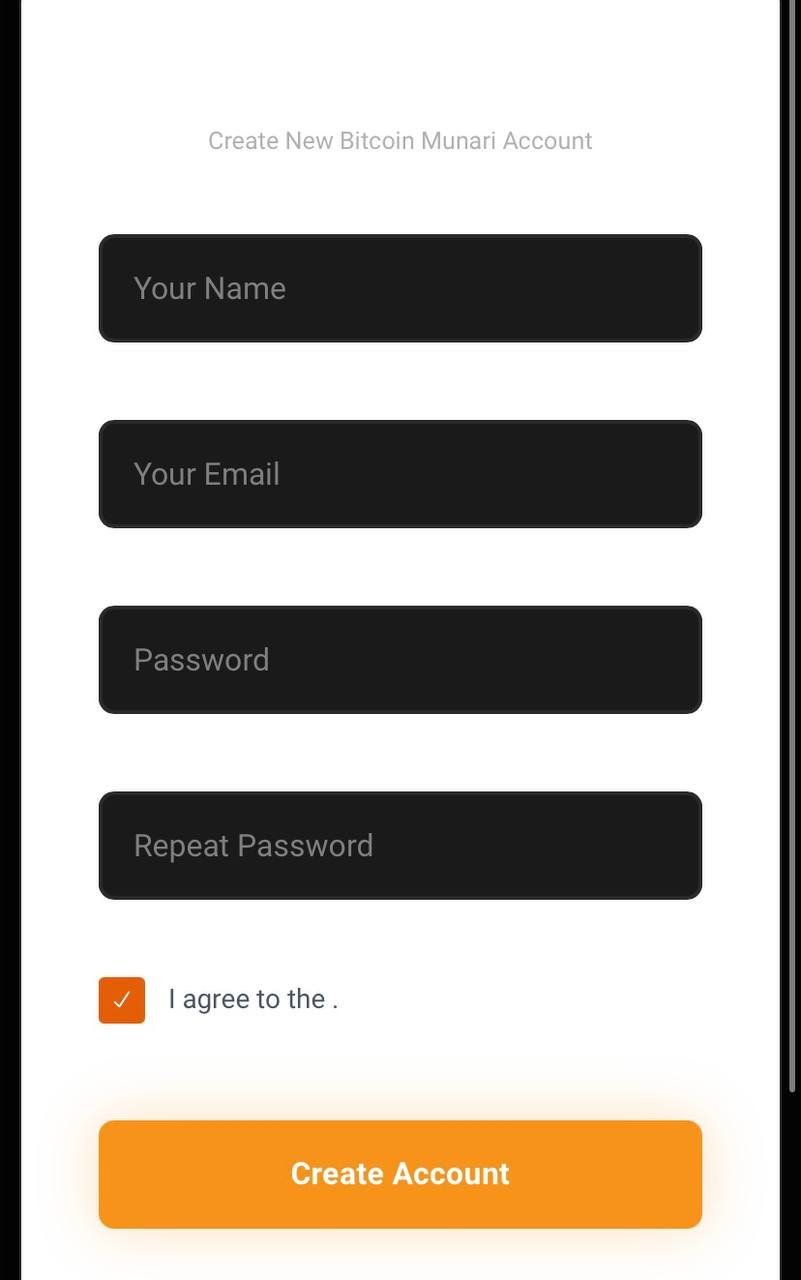
- Fill in the following required information:
- Your Name: Enter your full name
- Your Email: Enter a valid email address
- Password: Create a strong password
- Repeat Password: Confirm your password
- Check the checkbox to agree to the terms and conditions
- Click on "Create Account" button
Step 4: Sign In to Your Account
If you already have an account or after registration:
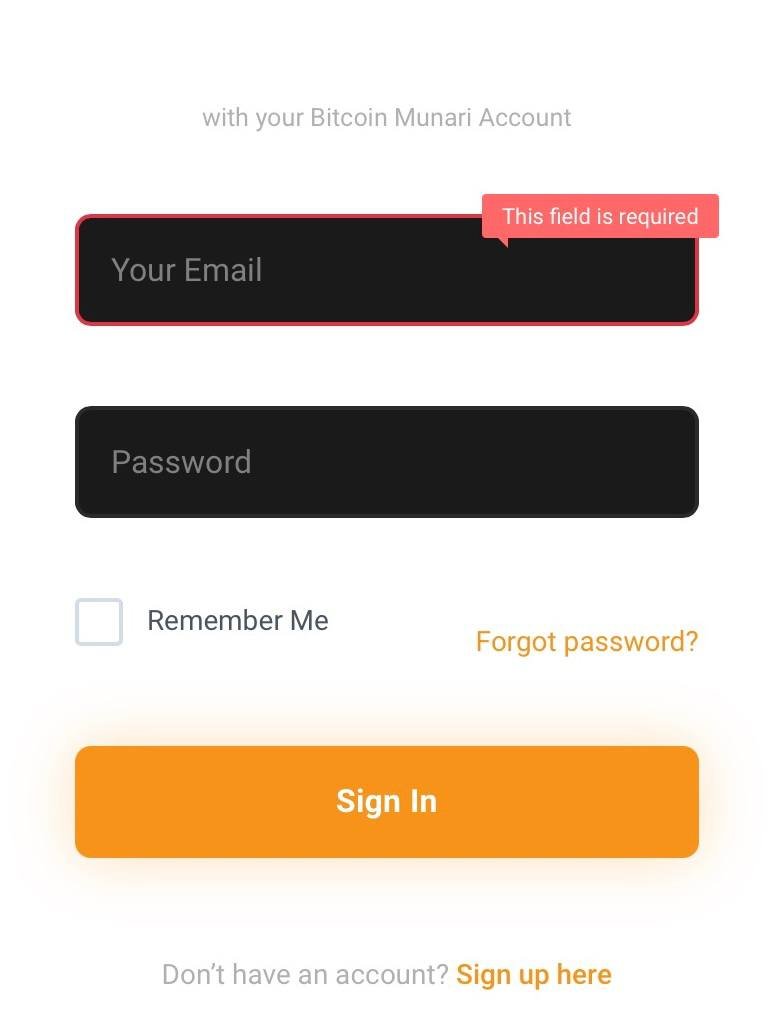
- Enter your Email address in the "Your Email" field
- Enter your Password
- Optional: Check "Remember Me" for easier future access
- Click on "Sign In"
Account Verification
Step 5: Verify Your Email and Add Receiving Wallet
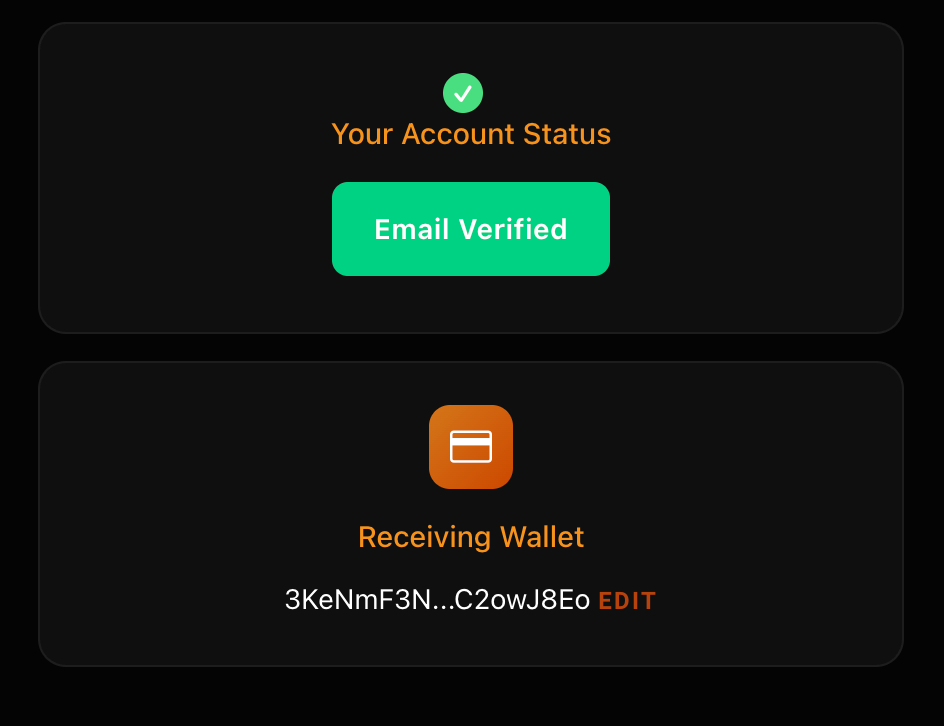
After logging in, you need to:
- Verify your email address:
- Check your email inbox for a verification email from Bitcoin Munari
- Click on the verification link in the email
- Your account status will show "Email Verified" with a green checkmark
- Add your receiving wallet address:
- Navigate to your account settings
- Look for the "Receiving Wallet" section
- Enter your Solana wallet address where you want to receive BTCM tokens
- Click "EDIT" if you need to change the wallet address later
- Example Solana wallet format: Starts with alphanumeric characters (not 0x)
Making Your Investment
Step 6: Navigate to Invest Section
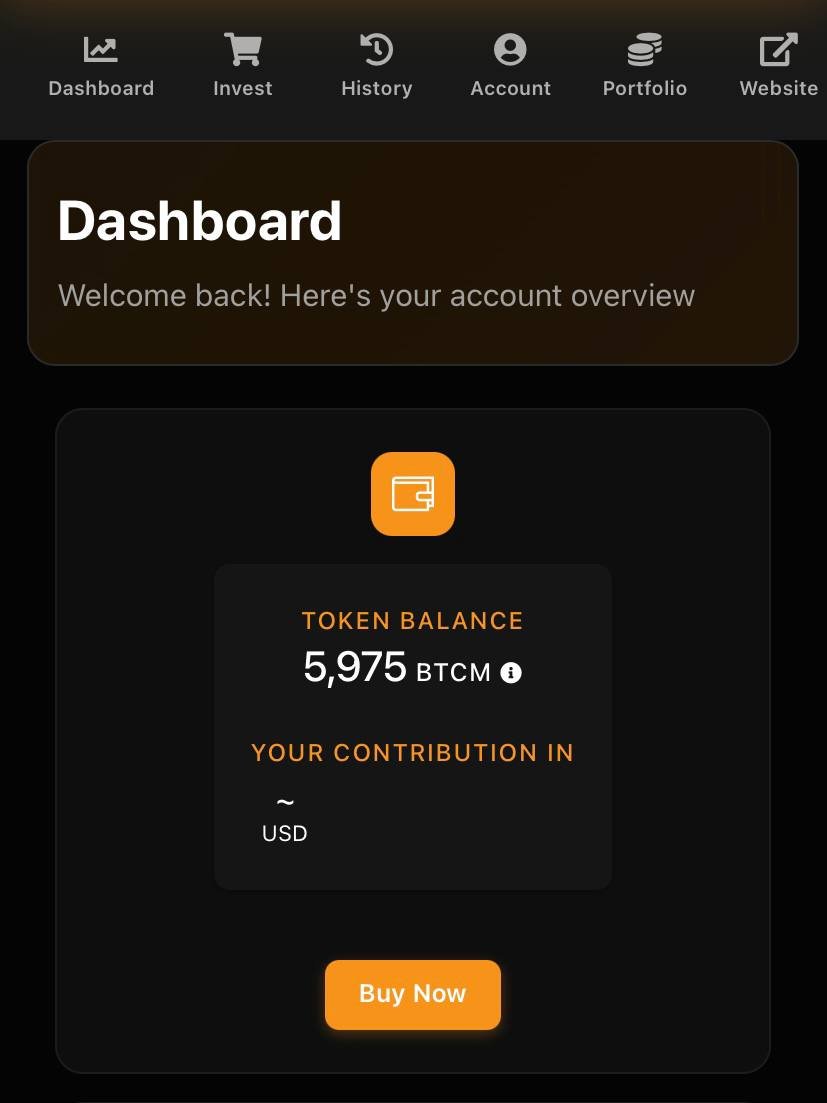
- Click on the "Invest" tab in the navigation menu
- You will see the investment interface
Step 7: Choose Your Payment Currency
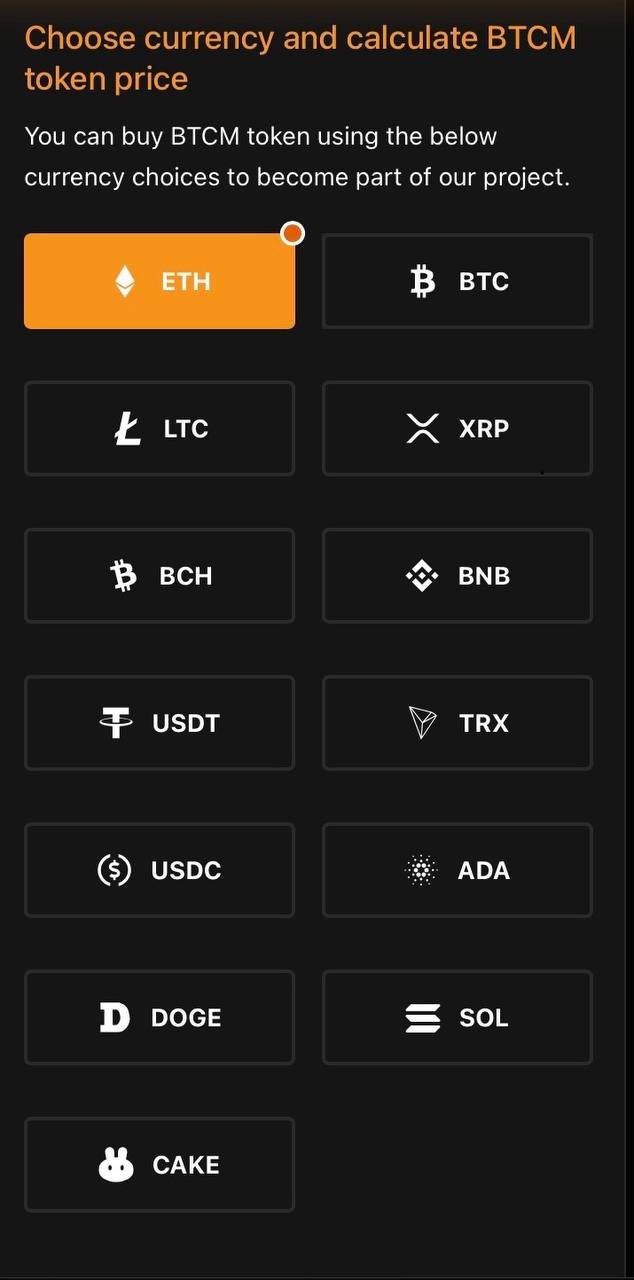
Select from the available cryptocurrency options and their recomended Networks:
- ETH (Ethereum/ERC20)
- BTC (Bitcoin Network)
- LTC (Litecoin Network)
- XRP (Ripple Network)
- BCH (Bitcoin Cash Network)
- BNB (BSC/BNB Network)
- USDT (Ethereum/ERC20)
- TRX (TRC20)
- USDC (Ethereum/ERC20)
- ADA (Cardano)
- DOGE (Dogecoin)
- SOL (Solana)
- CAKE (BSC/BNB Network)
Step 8: Enter Contribution Amount
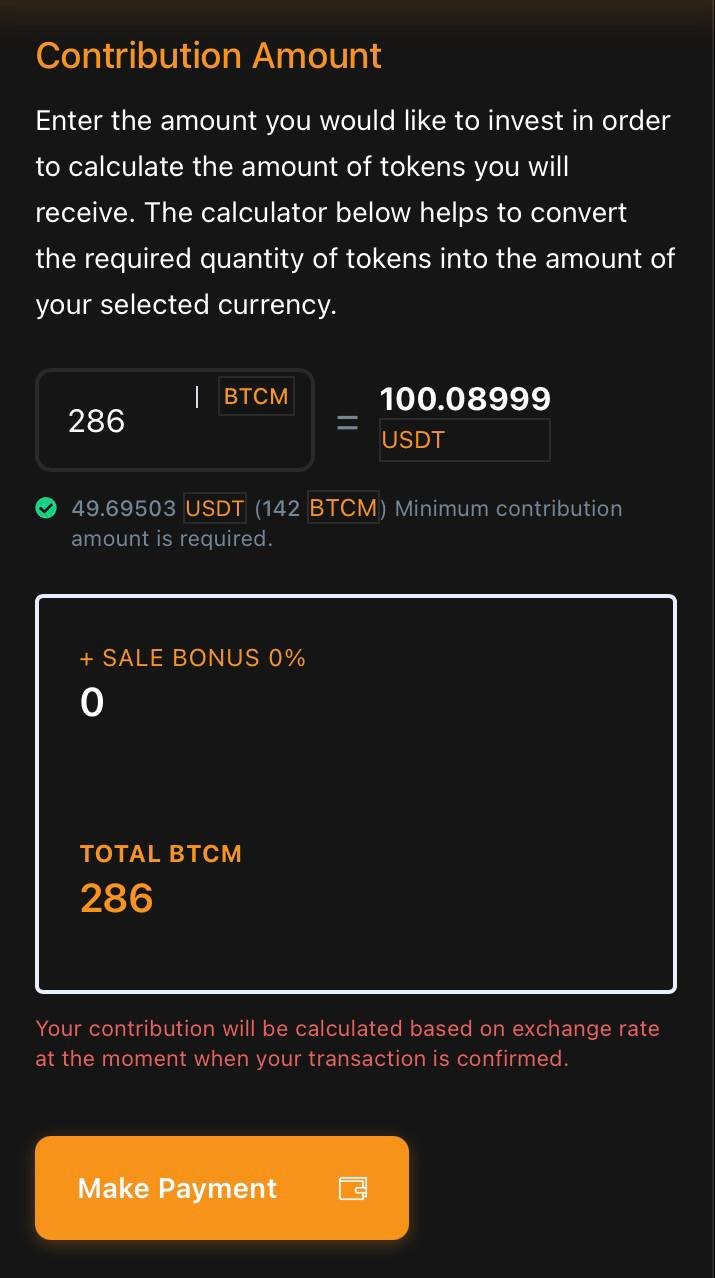
- Use the calculator to determine your investment:
- Enter the number of BTCM tokens you want to purchase (minimum 142 BTCM)
- The calculator will automatically show the equivalent in your selected currency
- Example: 286 BTCM = 100.08999 USDT
- Review the following information:
- Minimum contribution required: $50 USD equivalent
- Sale Bonus: Check if any bonus percentage applies
- Total BTCM: Final amount of tokens you will receive
- Click "Make Payment" button
Payment Process
Step 9: Review Payment Details
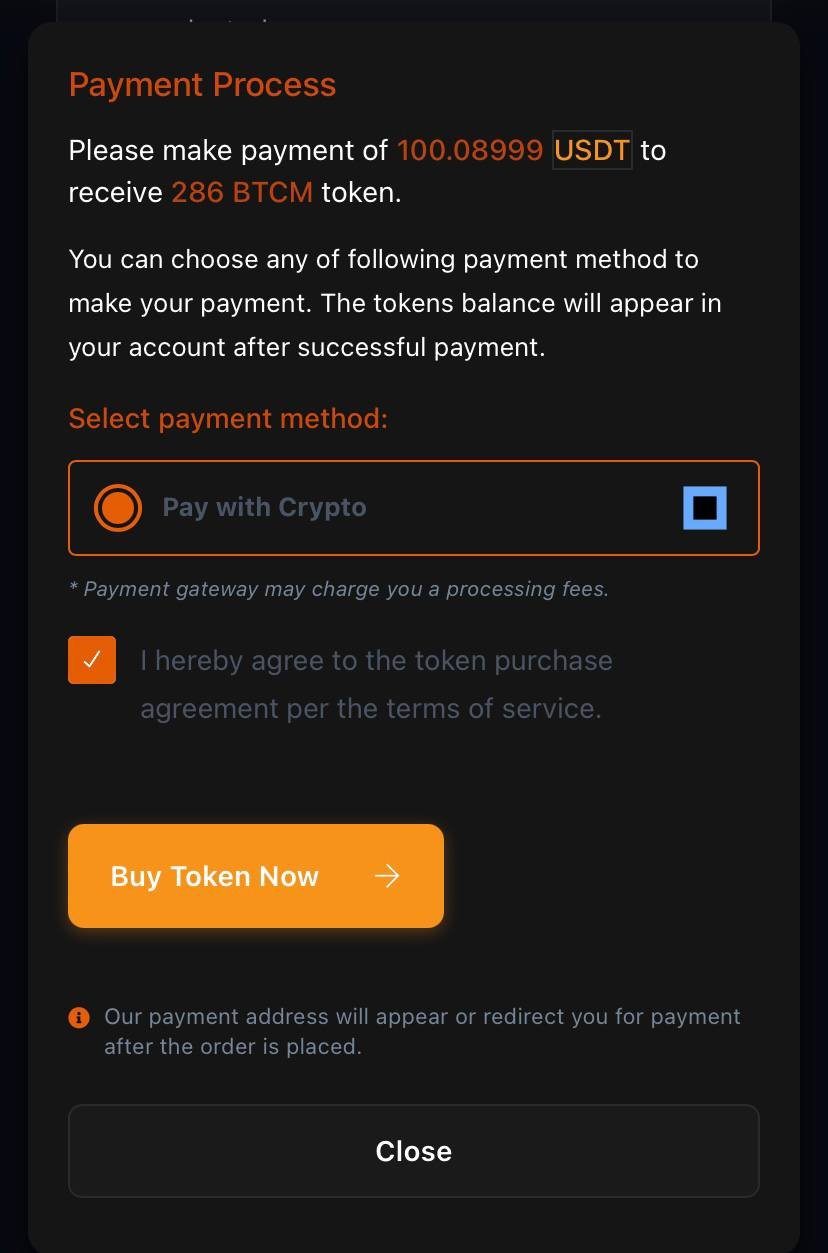
After clicking "Make Payment":
- Select your payment method:
- Pay with Crypto (currently selected)
- Check the agreement box:
- "I hereby agree to the token purchase agreement per the terms of service"
- Click "Buy Token Now" button
Step 10: Complete the Payment
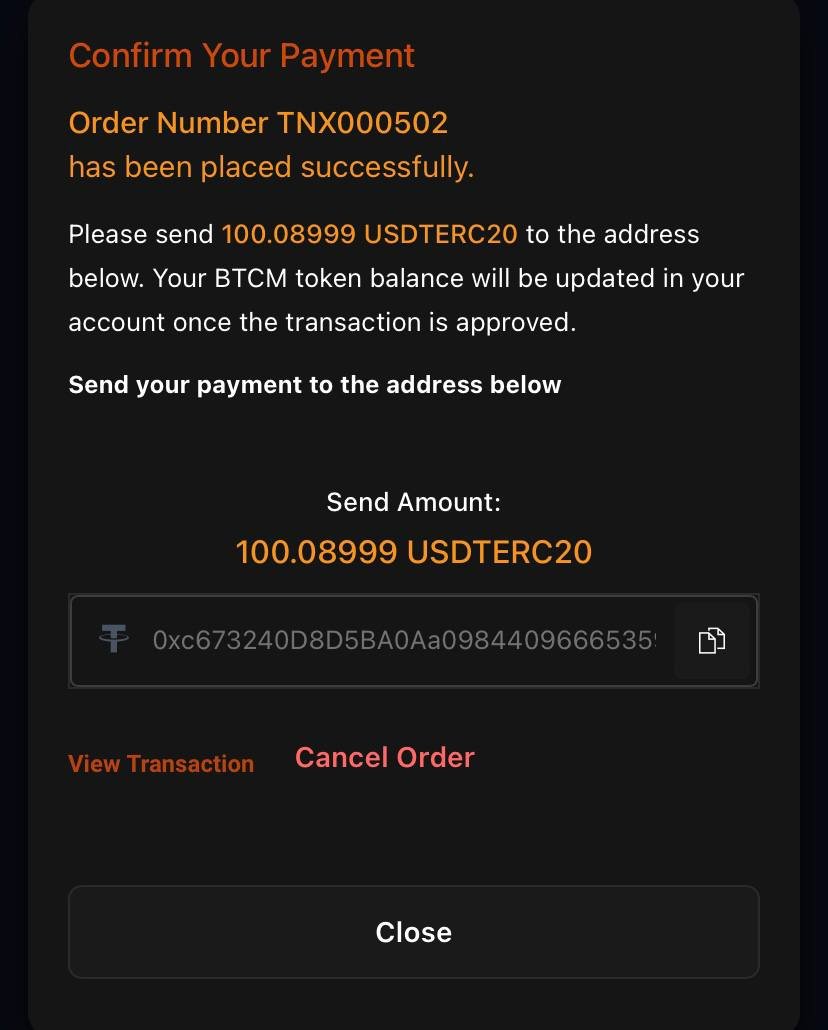
- Order Confirmation:
- You will receive an Order Number (e.g., TNX000502)
- Note the exact amount to send (e.g., 100.08999 USDTERC20)
- Payment Address:
- Copy the payment address provided
- Example: The address format will match your selected payment currency
- IMPORTANT: Double-check the address before sending
- Send Payment:
- Open your cryptocurrency wallet
- Send the exact amount shown to the provided address
- Use the correct network (e.g., ERC20 for USDT)
- Transaction Options:
- View Transaction: Check your payment status
- Cancel Order: Cancel if you haven't sent payment yet
- Close: Return to dashboard
Dashboard Overview
After Payment Completion
Once your payment is confirmed, your dashboard will show:
- Token Balance:
- Your current BTCM token balance
- Example: 5,975 BTCM
- Your Contribution in USD:
- Total amount invested in USD equivalent
- Account Status:
- Email verification status (should show "Email Verified")
- Your receiving Solana wallet address
- Navigation Options:
- Dashboard: Overview of your account
- Invest: Make additional investments
- History: View transaction history
- Account: Manage account settings
- Portfolio: View your token portfolio
- Website: Return to main website
Important Notes
Security Reminders
- ✅ Always verify the website URL: https://bitcoinmunari.com/
- ✅ Never share your password or private keys with anyone
- ✅ Double-check all wallet addresses before sending payments
- ✅ Keep a record of your Order Number and transaction hash
Payment Guidelines
- ⚠️ Send the exact amount shown on the payment screen
- ⚠️ Use the correct blockchain network for your chosen cryptocurrency
- ⚠️ BTCM tokens will be sent to your Solana wallet address at launch
- ⚠️ Allow sufficient time for blockchain confirmations
- ⚠️ Your BTCM tokens will be credited after payment confirmation
Exchange Rate Notice
"Your contribution will be calculated based on exchange rate at the moment when your transaction is confirmed."
Presale Timeline
- Monitor the countdown timer for the current round
- Price increases when the round ends
- Early participation may provide better token prices
Support
If you encounter any issues:
- Check your transaction status on the blockchain
- Verify all details match the order information
- Contact Bitcoin Munari support if needed